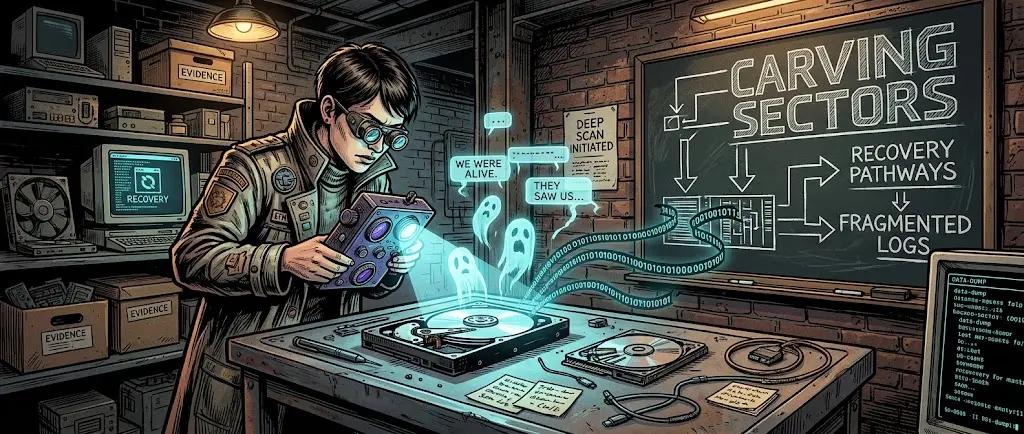
Last time, we talked about negligence involving exposed tables and school databases. Today, we're returning to our deep technical breakdown schedule to look under the hood of file systems, forensic dumps, and low-level protocols.
A rock-solid myth persists among users: click «Delete», empty the recycling bin, clear the browser history, and the tracks are covered. To a standard interface, the folder is empty. But once a device lands on a digital forensics specialist's desk, that illusion instantly shatters.
Let's break down—without abstractions—how digital traces are actually extracted at the controller, memory, and network stack levels.
Architecture of a Trace: Why the «Delete» Button Erases Nothing
File systems on modern drives (NTFS, ext4, APFS) are optimized for two things: maximum speed and extending the lifespan of memory cells. Physically zeroing out every deleted data block would turn any system into a sluggish paperweight.
Therefore, deletion works on the principle of a book's table of contents:
- Metadata manipulation (MFT and Inodes). During routine file deletion, the OS does not touch the data sectors themselves. In the Master File Table (NTFS) or the inode table (Linux/Android), a single service flag is simply changed: the record status is switched to «unused». Sectors are marked as Unallocated Space, but the physical bytes of your archive, photo, or chat remain right where they were.
- Shadow copies and journaling. Journaling file systems record transaction histories. Even if a file is deleted, timestamps, the original name, size, and the cluster chain where it resided are preserved in the journal (for example,
$LogFileor$UsnJrnlin Windows). - Wear leveling and flash memory quirks (SSD / UFS / eMMC). On smartphones and SSDs, the drive controller distributes writes evenly across all cells to prevent chip degradation. Upon deletion, the TRIM command merely tells the controller that the block is free, but data may linger in hidden Over-Provisioning reserve blocks for weeks until the next background Garbage Collection cycle.
Four Vectors of Forensic Analysis
Professional forensic audits break down incidents across four independent planes:
- Disk and file level (Data Carving). Forensic suites (such as Autopsy, EnCase, FTK) ignore the file system and scan the «raw» byte array. File Carving identifies headers (Magic Bytes) and file footers (e.g.,
FF D8 FFfor JPEGs). The file is reassembled from scattered sectors even if the partition table is destroyed. - Mobile stack (JTAG, ISP, and physical dumps). On smartphones, data is encrypted on the fly (FBE—File-Based Encryption), but forensic analysts work through specialized hardware bridges (Cellebrite, GrayKey). A full physical image of the NAND memory is extracted, analyzing unoverwritten SQLite databases (housing all messengers, SMS, and deleted notes) alongside thumbnail caches that the system creates automatically and almost never erases.
- RAM Forensics. If the device was powered on, a RAM dump via utilities like Volatility reveals things absent from the disk: BitLocker/LUKS master encryption keys, open encrypted tunnel sessions, unsaved chats, and malicious libraries injected into memory.
- Network artifacts and logging. Correlating traffic dumps (PCAP) with system DHCP logs, ARP table entries, and NetFlow timings makes it possible to reconstruct the network connection graph with millisecond precision.
Ghosts in the System: Where Unnoticed Evidence Hides
Even if a user performed a «deep clean», the operating system leaves behind dozens of parallel markers:
- Prefetch and Shimcache. Windows preserves traces of every executed binary to optimize startup. You deleted a portable utility three months ago—Prefetch will retain the date of the first and last launch, the number of starts, and a list of utilized system libraries.
- SQLite databases with the WAL (Write-Ahead Logging) flag. Browsers and messengers write changes to temporary WAL files. When you click «Clear chat history», the entry is removed from the primary index, but the rows remain in the WAL pages until the next database checkpoint flush.
- Operating system DNS cache. After clearing browser history, users often forget about the system DNS resolver. Running a cache inspection command on the client or analyzing a memory dump will reveal all domains accessed by OS services over recent sessions.
Defense Perimeter: How Data Is Actually Destroyed
Simply dragging a file to the recycling bin or hitting «Format» in Explorer creates an illusion of cleanliness. Engineering practices rely on entirely different approaches to guarantee the destruction of a digital trace:
- Multi-pass pseudorandom overwriting. DoD 5220.22-M level standards or the Gutman algorithm: sectors are overwritten with zeros, ones, and cryptographic random noise across multiple cycles. On modern HDDs, even a single full pass of
shredordd if=/dev/urandomis enough to make recovery mathematically impossible. - Crypto-shredding. If the drive originally operated with full-disk encryption (LUKS, FileVault), physically destroying terabytes of data is unnecessary. It is sufficient to destroy the partition header's master key. Without the key, the array turns into irretrievable entropy.
- Work session protection: RAM isolation (Live OS). Using environments that run exclusively in RAM without mounting local storage media (Tails, specialized containers). Upon power loss, memory chip capacitors lose charge in seconds, leaving no physical imprint on magnetic or flash media.
Digital forensics has long ceased to be a tool exclusively used by intelligence agencies. Today, it is a standard for corporate investigations, security audits, and incident response within SOC centers. A machine's memory does not know the concept of «forgetting»—it only knows the physical laws of bit rewriting.